
PRODUCT REMIX · FOR SELLERS
Your product.
A new look.
Turn your product URL or photo and a competitor reference into new product and ad images—with a similar look, feel and layout.
Powered by ModelArk Managed Agent
Seedream 5.0 Pro
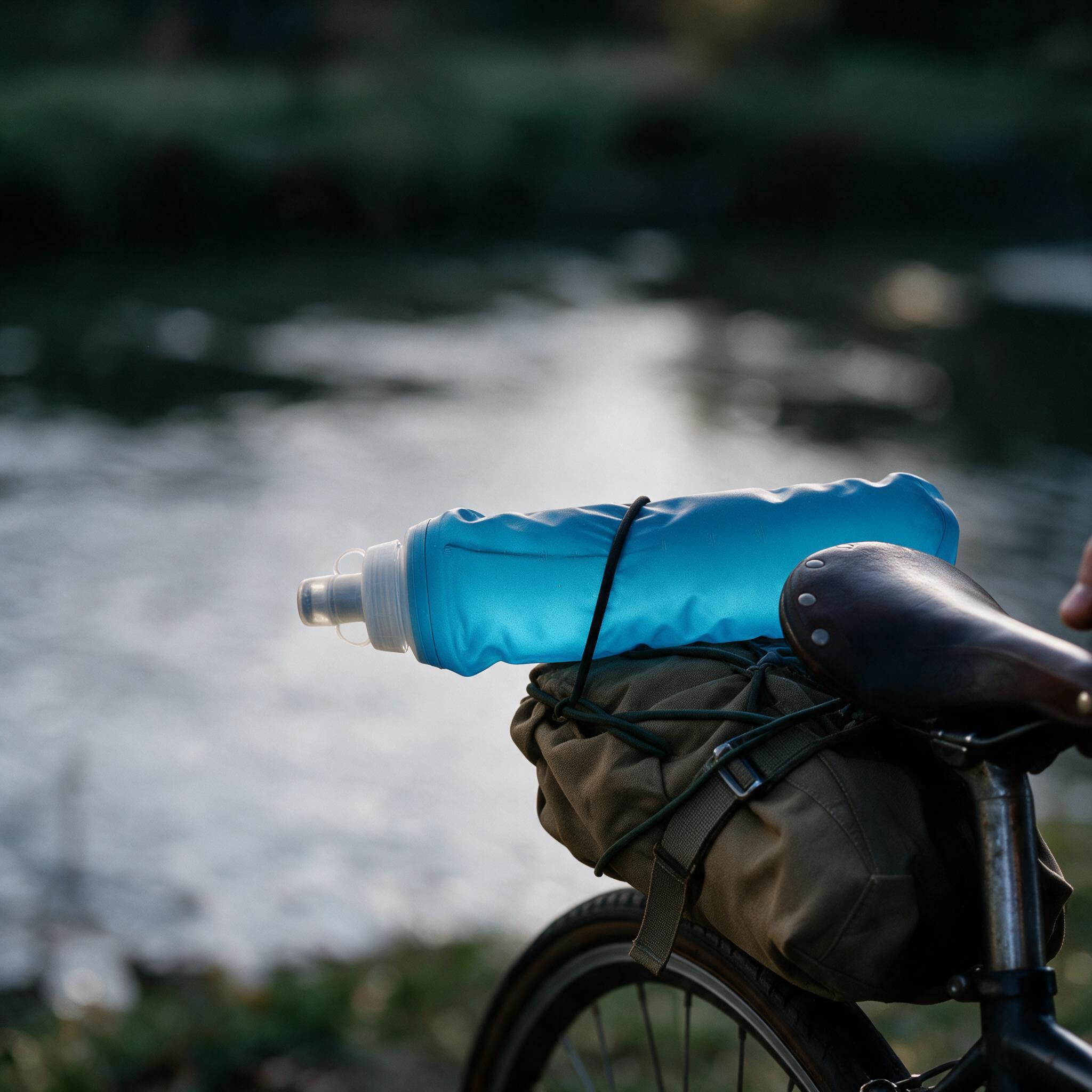
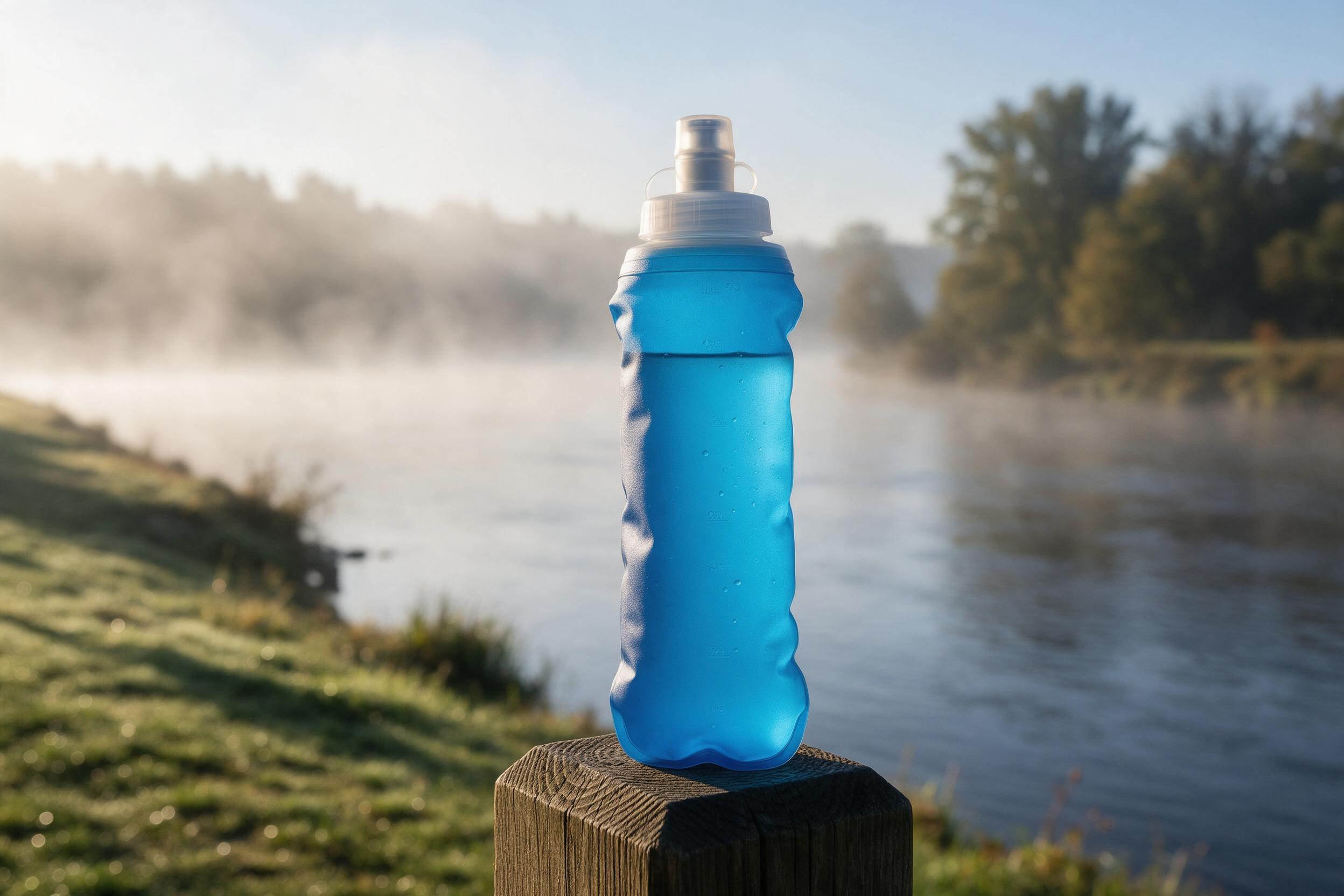 The product to feature
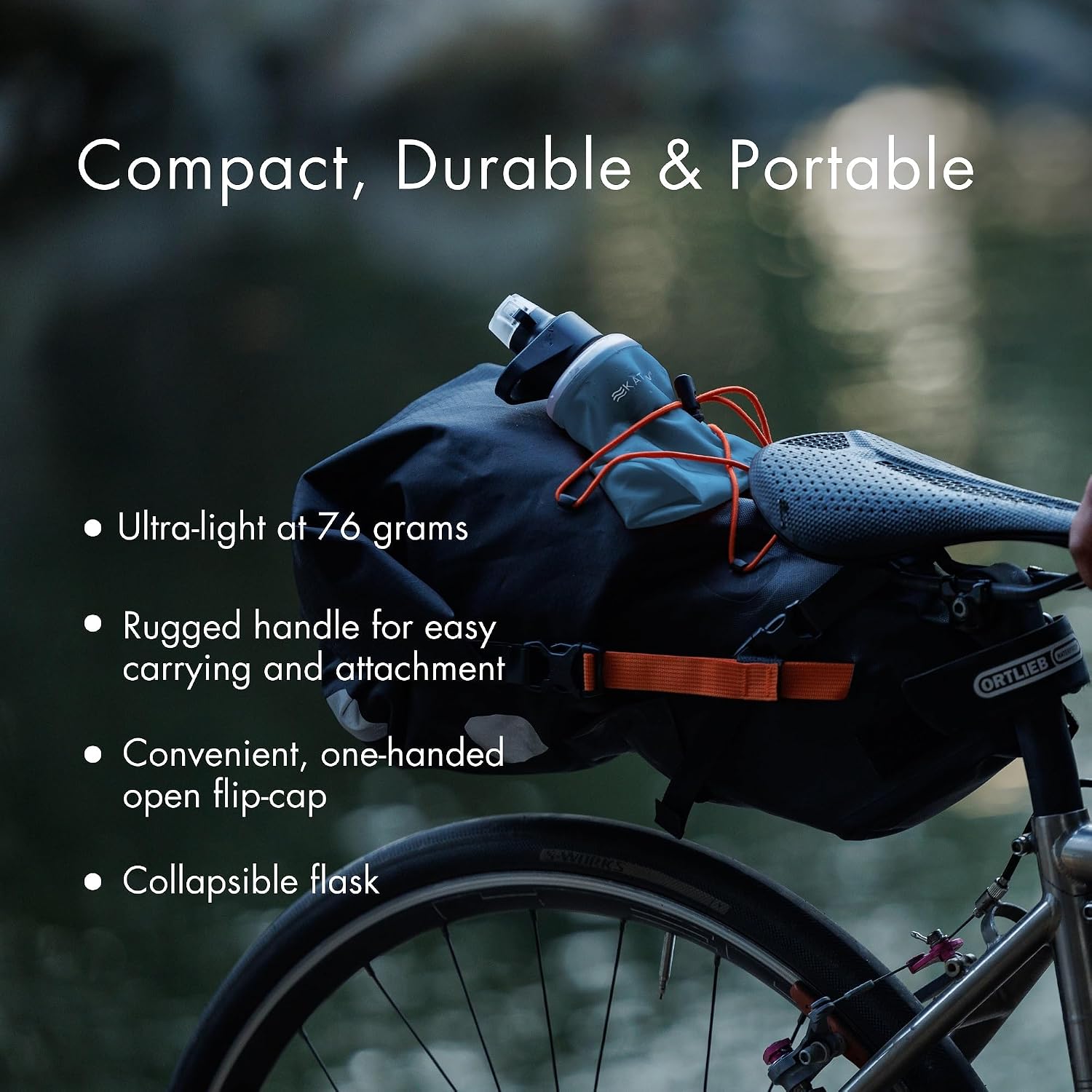 The look to adapt
Borrow the look.
Make it your product.
PRODUCT REMIX
See the direction.
Make it your own.
The reference guides the lighting, setting and layout. Your product stays at the centre.
About this example
An unbranded, AI-generated demo product is used as the image input. The reference is analyzed separately; Seedream receives the product image and written style and layout instructions.
Generated in a managed-agent session, then edited with Seedream 5.0 Pro to correct the bottle’s support. The bottle now rests horizontally on the bag with a cord across its body. The saddle partially covers the rear of the bottle.
HOW IT WORKS
Your agent.
BytePlus behind it.
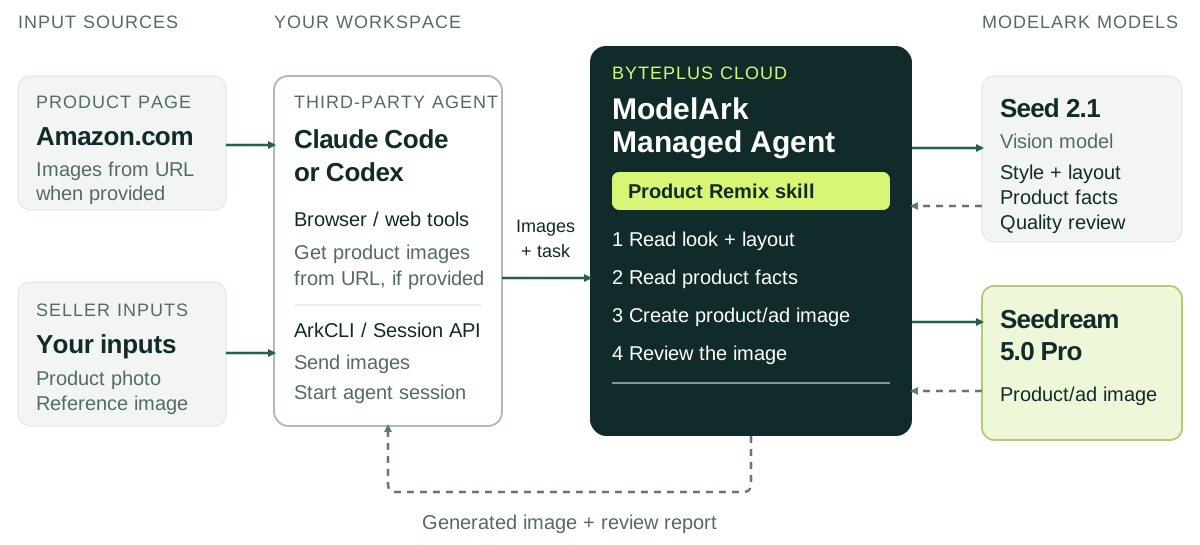
Use Claude Code or Codex to collect the inputs. ModelArk Managed Agent handles image creation and review.
Swipe to explore the diagram.
For developers: inputs and integration
The client agent retrieves product images from a supplied URL through its configured browser or web tools, or accepts an uploaded photo. It sends the inputs and task to a managed-agent session through ArkCLI or the Session API.
Seed 2.1 reads the reference’s style and layout, extracts product facts and reviews the result. Seedream 5.0 Pro receives product photos and derived written instructions; the competitor image stays out of generation. The managed agent returns the image and any quality issues.
The configured image model is Pro only. Errors are reported; model, size and quality changes require your decision.
CREATE YOUR NEXT IMAGE
Bring your product.
Choose your reference.
Install Product Remix in Claude Code or Codex.
Connect your own ModelArk Managed Agent.
“Create a new product or ad image with a similar look, feel and layout to this reference. Use my product and brand, and flag any quality issues.”
Attach your product photo or URL and the reference image.
Install in your own workspace
- Download and extract
Open a terminal in the extracted
byteplus-product-remixfolder. - Install for your agent
python3 install.py --client codex --project .Requires Python 3. Replace
.with another project folder if needed. - Install ArkCLI and sign in
ArkCLI connects your agent to ModelArk. Install it first, using Node.js and npm.
npm install -g @byteplus/ark-cliarkcli auth loginSign in with your own BytePlus account.
- Connect your ModelArk account
Start a new chat in that project and send this request. The bundled guide covers the managed skill, agent, environment and your own API key.
Use the product-remix skill. Follow its setup guide to connect this project to my own ModelArk Managed Agent, using Seedream 5.0 Pro and the quality gate.
Requires your own BytePlus account with Managed Agent, Seedream 5.0 Pro and Seed 2.1 access. Usage is billed to your account.
Can I start with a product URL?
Yes. Your connected agent uses its browser or web tools to retrieve product images from the page. If the page cannot be accessed, upload a product photo.
What should I check in the result?
The skill checks product details, wording, style and physical plausibility. Failed images receive up to two corrections with the same model and size. Review the approved image before publication.
Where does image generation happen?
In your ModelArk Managed Agent session, using the configured skill and API access. This page introduces the solution; it does not generate images directly.